Virtual staging guide for real estate listings
What virtual staging is, when it helps a listing, how it compares to physical staging, and a workflow and quality checklist for AI-staged photos.
By Alperen Ciftlikci6 min read

Empty rooms are hard to sell. Buyers and renters scrolling through listing photos often struggle to judge the size of a bare room or imagine how they would live in it. Virtual staging solves that by adding realistic furniture and decor to a photo of an empty space, without moving a single sofa. This guide explains what AI virtual staging is, when it is worth using, how it compares with physical staging, and how to run a clean, consistent workflow for a whole property.
What virtual staging is
Virtual staging means digitally furnishing a photo of a real room. With AI virtual staging, you upload a picture of an empty room, choose the room type and a style, and the AI adds furniture, rugs, lighting and decor that fit the space. The Virtual Staging tool keeps the walls, floor and windows exactly as they are, so the photo still represents the actual property.
It is a marketing aid, not a renovation preview. The goal is to show scale and possibilities, while staying faithful to what a buyer will see when they walk in. If you want to show changes to finishes, such as a new floor or wall color, that is a redesign, and it should be presented clearly as a concept, never as the current state of the home.
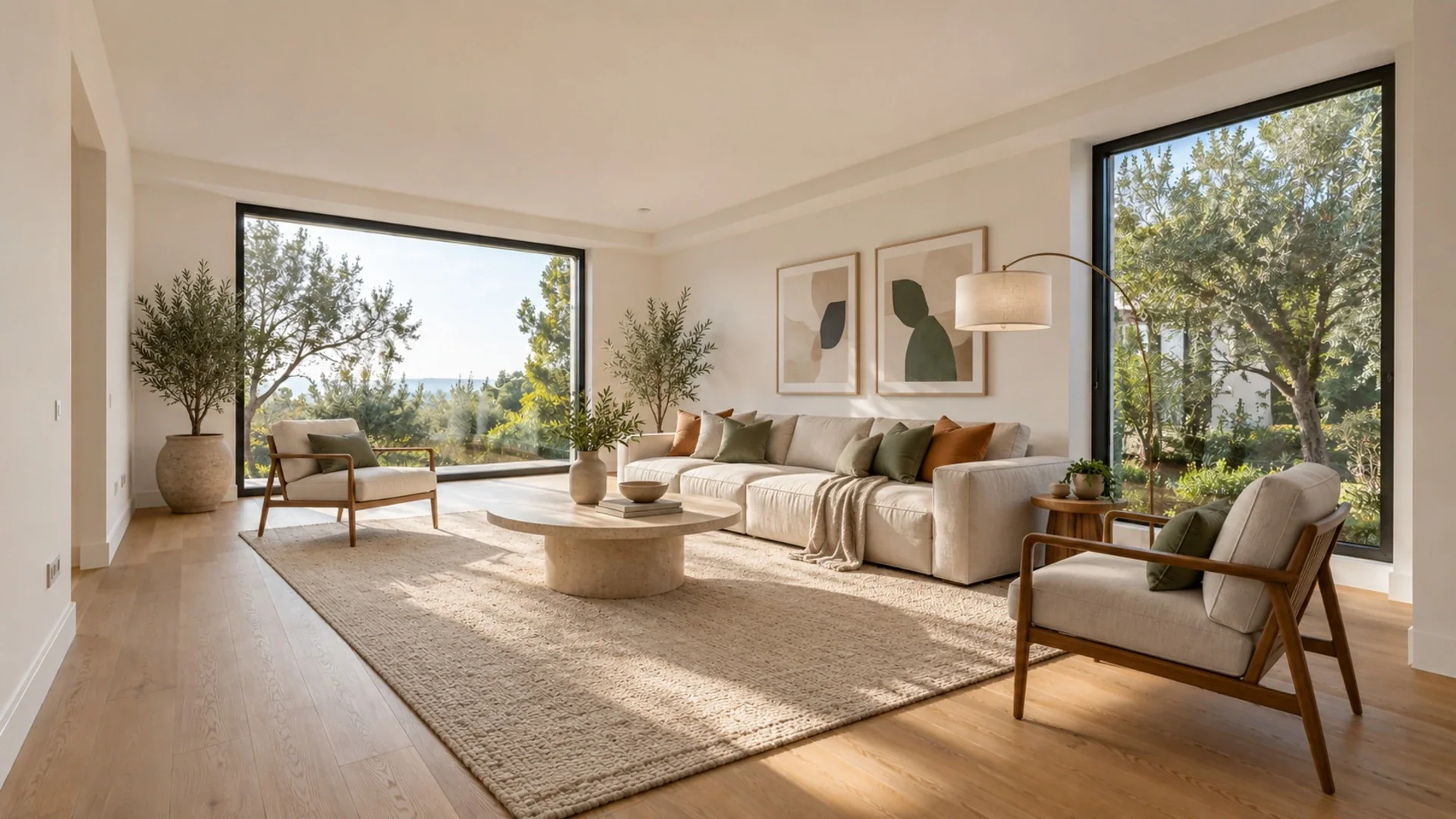

When virtual staging helps
Virtual staging works best when a room is empty or nearly empty:
- Vacant homes where the owners have already moved out.
- New builds and freshly renovated units with no furniture yet.
- Rooms with an unclear purpose, like a small second bedroom that could be an office or nursery. Staging shows one possible use.
- Rentals between tenants, where photos must be taken while the unit is empty.
It helps less when a room is already well furnished. In that case, decluttering often does more: the declutter tool clears clutter while keeping the same furniture and layout. Avoid virtually removing furniture that stays with the property, or adding items that hide flaws a buyer would notice in person.
Virtual vs physical staging
Both approaches have a place. The right choice depends on budget, timeline and how the property will be shown.
| Virtual staging | Physical staging | |
|---|---|---|
| Typical cost | AI tools: often a few dollars or less per photo; human-edited services: often tens of dollars per photo | Often in the low thousands of dollars per property, depending on size and duration |
| Turnaround | Minutes for AI, usually days for human editors | Days to weeks to plan, deliver and set up |
| Flexibility | Try several styles per room, change any time | One look, fixed for the rental period |
| In-person showings | Rooms are still empty on visits | Buyers see the furnished space |
| Disclosure | Images must be labeled as virtually staged | No digital alteration to disclose |
The cost figures are typical market ranges reported by industry blogs and vary widely by region, provider and property; treat them as rough orientation, not quotes. A common approach is to virtually stage the listing photos and, for higher-value properties, physically stage one or two key rooms for viewings.
A workflow for staging a whole listing
Staging one photo is easy. Staging twenty photos so they look like the same home takes a little structure.
- Shoot the property properly. Take each room from a corner or doorway, at chest height, level, in daylight with lights on. Our guide on how to photograph a room for AI covers the details.
- Create a listing folder. On the Pro plan, you can group all photos of a property in one listing folder, which keeps every version organized by address.
- Pick one style for the whole property. Consistency is what makes staged photos believable. A modern apartment staged as Scandinavian in the bedroom, Industrial in the living room and Bohemian in the kitchen looks like three different homes. Choose the style that suits the architecture and likely buyer, for example Scandinavian for bright apartments or Farmhouse for a country house.
- Batch stage. The Pro plan lets you stage up to 50 photos in one batch, all in the same style. Set the room type for each photo so a bedroom gets a bed and a dining room gets a table.
- Review every image using the checklist below, and regenerate any that miss. Each image uses one credit, and failed generations are refunded automatically.
- Download and label. On the Pro plan, downloads and share pages carry a "Virtually staged" label. Keep the original empty-room photos alongside the staged ones.
For individual touch-ups, the Magic Brush can remove a single object or replace it with something you describe.
Quality checklist for staged photos
Before an image goes into a listing, check it closely at full size:
- Scale. Does the bed fit the room? Do chairs look sittable next to the table? Oversized furniture makes a room look smaller; undersized furniture looks fake.
- Placement. Furniture should not block doors, cover radiators or sit in front of windows in a way that would be impossible in real life.
- Shadows and light. Items should have soft shadows that match the direction of window light. Floating furniture without shadows is the most common giveaway.
- Permanent features unchanged. Walls, windows, doors, flooring, ceiling, built-ins and the view outside must match the real property. If anything permanent has changed, discard the image.
- Consistency. Style, wood tones and color palette should feel like one home across all photos.
- No people, logos or text in the scene.
Be transparent with buyers
Virtually staged photos should always be labeled clearly, and the original photos should remain available. Expectations differ between markets and listing platforms, so check your MLS or portal rules and local regulations. Our virtual staging disclosure guide explains common practices in more detail. If you work with listings regularly, see how the tools fit an agent's workflow on the real estate agents page.
FAQ
What is AI virtual staging?
AI virtual staging adds realistic furniture and decor to a photo of an empty room. You choose the room type and a style, and the AI furnishes the space while keeping the walls, floor and windows unchanged, so the photo still shows the real property.
Is virtual staging cheaper than physical staging?
Usually, yes. Typical market ranges put AI staging at a small fraction of the cost of renting and setting up furniture, but prices vary by region and provider. Physical staging has the advantage that buyers see furnished rooms during visits.
Can I stage all photos of a listing at once?
On the Pro plan, you can organize photos in listing folders and stage up to 50 photos in one batch, all in the same style. Downloads and share pages carry a "Virtually staged" label.
Do I need to disclose virtual staging?
In most markets, yes: staged images are expected to be clearly labeled and the original photos kept available. Rules vary, so check your MLS, listing portal and local regulations before publishing.